


How do I use my car’s connected navigation system?
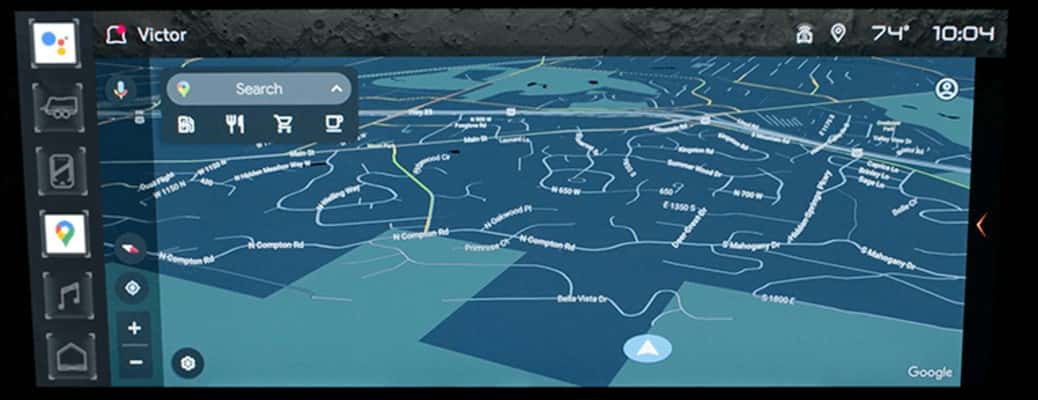
Touchscreen navigation tips and tricks
Your car’s built-in navigation makes getting around easier by providing real-time directions, traffic updates, and even points of interest along your route. Whether you’re heading to a new restaurant, an important business meeting, or a weekend getaway, using the system is simple and convenient. So, how do you use your car’s connected navigation system? If you drive a vehicle with a connected navigation system and want to make the most of it, Carl Black Roswell in Roswell, GA, is here to help. Keep reading for touchscreen navigation tips and tricks.
How to enter a destination in your car’s navigation system
To begin navigating, enter a destination in one of the following ways:
By address
Input the exact street address of your destination.
By point of interest
Search for a location like a restaurant, gas station, or landmark.
By intersection
Enter the names of two streets to navigate to a specific crossroad.
Once you’ve entered your destination, the system will provide turn-by-turn directions and may offer alternative routes based on real-time traffic conditions.
Additional features of your car’s navigation system
Connected navigation systems also include features like voice command functionality, predictive traffic updates, and integration with smartphone apps for added convenience. Some models even offer live weather updates and nearby fuel prices to keep you informed while on the road.
Watch the video for a step-by-step guide
For a more detailed walkthrough, be sure to watch the video included in this post. It provides visuals on how to input destinations, adjust route settings, and take advantage of your system’s advanced features.
How To Use Your Connected Navigation | Buick Encore GX How-To Videos
Connected navigation system frequently asked questions
How do I enter a destination into my car’s connected navigation system?
You can enter an address, search for a point of interest, or use street intersections to set your destination.
Can I use voice commands for navigation?
Yes, many systems allow hands-free operation by using voice commands to set a destination.
Does my car’s navigation system provide real-time traffic updates?
Yes, connected navigation systems offer live traffic data and can suggest alternate routes to avoid congestion.
Which Buick vehicles come with GPS?
All new Buick models can be equipped with a navigation system. Let us know if this is something you’re looking for.
Pair a phone in your BuickGMC head-up display
0 comment(s) so far on How do I use my car’s connected navigation system?