


GMC head-up display (HUD) explained
Stay informed without taking your eyes off the road
If you’ve ever wondered how the latest GMC vehicles help drivers stay informed without taking their eyes off the road, the answer is the head-up display (HUD). This advanced technology projects important driving information directly onto the windshield, keeping your focus on the road. Keep reading to see the GMC head-up display (HUD) explained by Carl Black Roswell of Roswell, GA.
How does an HUD work?
The GMC head-up display uses a small lens located in the dashboard to project critical data onto the windshield in front of the driver. This information can range from your current speed to navigation instructions, all displayed within your natural line of sight.
How Head-Up Display Works & HUD How To | GMC video
With the GMC HUD, essential driving information is always visible but never intrusive. This feature enhances both convenience and safety, making it an invaluable tool for modern drivers. If you’d like to see how the HUD works in action, check out the video below for a closer look at this innovative feature!
HUD controls in your GMC vehicle
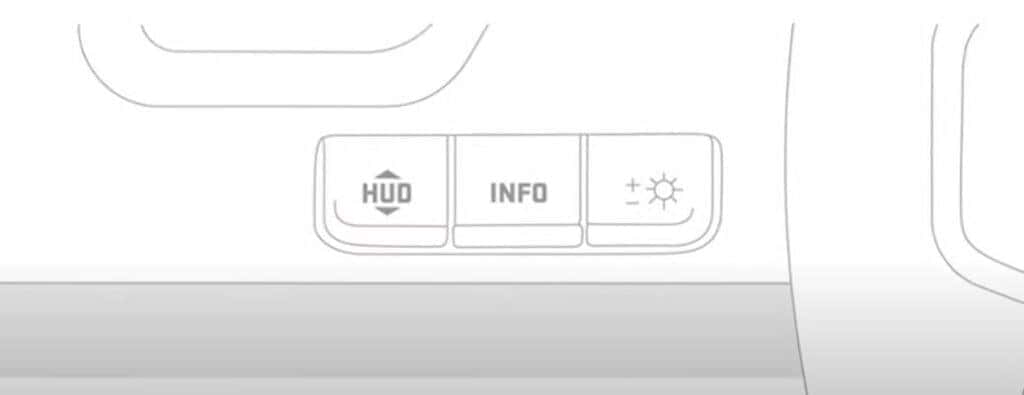
Equipped GMC vehicles come with HUD controls conveniently placed near the steering wheel. These controls let you easily customize what you see on the HUD, giving you the flexibility to adjust the display based on your needs.
- Toggle the display: You can show or hide specific information, such as your current speed, speed limit, active safety features, and even turn-by-turn navigation.
- Adjust the position: Would you prefer the display to be higher or lower? The HUD controls allow you to move the projection up or down to suit your view.
- Change brightness: The brightness can automatically adjust based on the surrounding light conditions. You can also manually set the brightness to your liking if you prefer more control.
What information can the head-up display show?
The GMC HUD provides a range of useful data to help keep you informed without distraction. Here’s a breakdown of what you can expect to see:
- Current speed
- Speed limits
- Active safety features
- Incoming calls
- Current media playing
- Radio station
- Turn-by-turn navigation
- Compass directions
Buick and GMC HD Surround Vision
0 comment(s) so far on GMC head-up display (HUD) explained