


What is Google Built-In for GMC vehicles?

Features and functions of Google Built-In technology
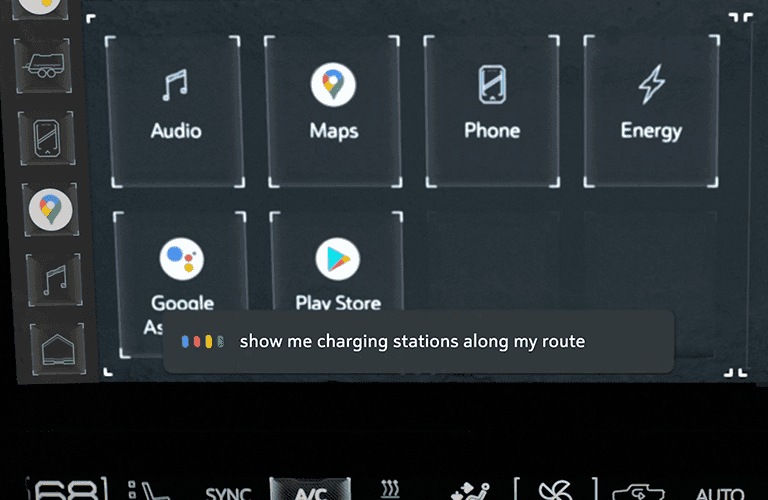
Google Built-In for GMC vehicles is an integration system that automatically brings some of your favorite apps to your vehicle’s touchscreen display, including Google Maps. Keep reading below to learn more about the features and functions of Google Built-In technology with Carl Black Roswell. Find us in Roswell, GA.
GMC HUMMER EV PICKUP | “Declassified: Google Built-In” | GMC video
Watch this video to learn what Google Built-In is, how Google Built-In works, and more. By the end of the video’s two minutes, you’ll be an expert on this technology.
How to start using Google Built-In voice commands in your GMC
Using Google Built-In in your GMC vehicle is easy. You’ll need to sign into your Google account on your vehicle’s infotainment screen, but you’ll only need to sign in the first time. After that, you can use voice commands by saying “Hey Google,” pressing the Google Assistant icon on the center display, or pushing the push-to-talk button on your steering wheel.
The five benefits and best features of Google Built-In
Integration with favorite apps: Google Built-In seamlessly integrates with your GMC vehicle, automatically bringing some of your favorite apps to the touchscreen display. This means you can access essential applications directly from your vehicle’s infotainment system.
Google Maps integration: One of the standout features of Google Built-In is the integration of Google Maps. This provides users with real-time navigation, traffic updates, and accurate directions, enhancing the overall driving experience and making it easier to reach your destination.
Voice command functionality: Google Built-In introduces a convenient and hands-free way to interact with your vehicle’s infotainment system. Users can initiate voice commands by saying, “Hey, Google,” making it easy to perform various functions without taking their hands off the wheel.
User-friendly setup: Setting up Google Built-In in your GMC vehicle is a straightforward process. Users are required to sign into their Google account on the infotainment screen initially, but subsequent usage only requires a one-time sign-in. This simplicity enhances user experience and ensures a quick and hassle-free setup.
Enhanced infotainment control: The technology enables users to have enhanced control over their infotainment system. Through voice commands, users can make calls, send messages, play music, and access various functions, contributing to a safer and more enjoyable driving experience.
GMC driver-assist featuresGMC Super Cruise technology

0 comment(s) so far on What is Google Built-In for GMC vehicles?